The Force Control Service enables the manipulator to detect and respond to external forces acting on its tool. This capability allows for high-precision tasks such as fitting, polishing, and assembly by correcting the manipulator's position based on real-time sensor feedback.
¶ Core Capabilities and Skills
The service provides specific "skills" that can be executed from a robot controller job to perform common force-related tasks:
- Basic Force Control: Includes functions to perform zero resetting of the force sensor (
FCS_FCONON), execute pressing operations with a specified reference force (FCS_FPRESS), and return the robot to standard position control (FCS_FCONOFF). - External Force Detection: Functions to start (
FCS_FDETON) and end (FCS_FDETOFF) the process of monitoring and detecting external forces. - Fitting Operations: A specialized suite of skills for automated assembly, including approaching a target (
FCS_APPROACH), searching for a fitting position (FCS_SEARCH), and inserting a workpiece while avoiding jams (FCS_INSERT).
¶ Monitoring and Editor Functions
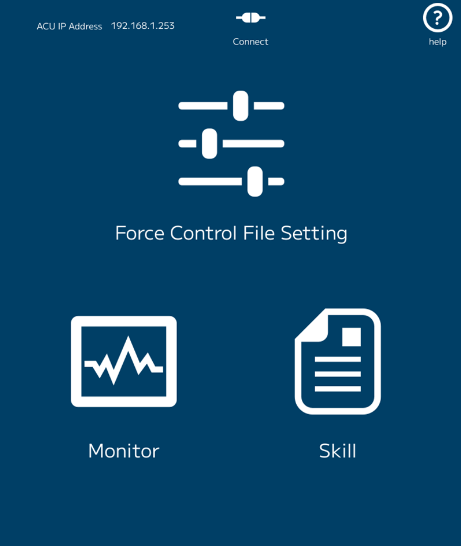
The Force Control Editor is a web-based tool provided with the service for configuration and monitoring. The web service can be accessed at the following address:
Note: Please ensure client device IP address is on the correct subnet.
- Data Monitoring: Allows users to view real-time force control data in graph format, with options to select different coordinate systems (Robot or Tool) and sampling cycles.
- Parameter Setting: Users can configure "Force Condition Files" which define the sensitivity and behavior of the robot, including automatic damping tuning to optimize motion based on the current environment.
- Gravity Compensation: Includes a utility to generate map files that account for the weight of the tool, ensuring the sensor only measures external contact forces rather than the tool's own weight.
¶ Connectivity and APIs
- System Integration: The service requires a 6-axis force sensor attached to the wrist tip of the manipulator and is compatible with various MOTOMAN NEXT models.
- gRPC API: For advanced users, the service provides a gRPC (Google Remote Procedure Call) API, allowing external user applications to execute force control and acquire raw data programmatically.
¶ gRPC Connection Info
Connecting to the gRPC service can be performed by using the hostname or IP address followed by the port number.
| Hostname | Port | Module |
|---|---|---|
| ForceControlService | 50500 | Unary operation server |
| ForceControlService | 50501 | Motion execution server |
| ForceControlService | 50502 | FC data stream server |
¶ gRPC C++ Example
The following example demonstrates how to connect to the gRPC channels and begin monitoring sensor feedback.
#include <grpc/grpc.h>
#include <grpcpp/channel.h>
#include <grpcpp/client_context.h>
#include <grpcpp/create_channel.h>
#include "fcs/v1/force_control.grpc.pb.h"
#include <unistd.h>
#include <iostream>

using namespace fcs::v1;

int main(void) {
    // Initialize the gRPC client
    auto unary_channel = grpc::CreateChannel("ForceControlService:50500" , grpc::InsecureChannelCredentials());
    auto data_channel = grpc::CreateChannel("ForceControlService:50502" , grpc::InsecureChannelCredentials());
    auto unary_stub = ForceControl::NewStub(unary_channel)
    auto data_stub = ForceControl::NewStub(data_channel)

    // Request creation of force controller
    grpc::ClientContext context;
    CreateForceControllerRequest request;
    CreateForceController response;
    request.set_file_no(1);
    request.set_enable_gc(true);
    grpc::Status status = unary_stub->CreateForceController(&context, request, &response);

    // Handle error status
    if (!status.ok()) {
        std::cerr << "Error calling CreateForceController: " << status.error_message() << std::endl;
        return 1;
    }

    // Request sensor feedback data
    grpc::ClientContext context2;
    GetFcDataRequest dataReq;
    GetFcDataResponse dataResp;
    std::unique_ptr<grpc::ClientReader<GetFcDataResponse>> reader(
        data_stub->GetFcData(&context2, dataReq));

    // Print the feedback sensor data
    while (reader->Read(&response)) {
        ForceData feedback = response.sensor_feedback();
        std::cout << feedback.axis_x << ", " << feedback.axis_y << ", " << feedback.axis_z
            << " ("  << feedback.axis_rx << ", " << feedback.axis_ry << ", " << feedback.axis_rz << ")"
            << std::endl;
    }

    // Complete stream and handle errors
    status = reader->Finish();
    if (!status.ok()) {
        std::cerr << "Error calling GetFcData: " << status.error_message() << std::endl;
        return 1;
    }

    // Request end to force control
    grpc::ClientContext context3;
    ClearForceControllerRequest request;
    ClearForceControllerResponse response;
    status = unary_stub->ClearForceController(&context3, request, &response);

    // Handle error status
    if (!status.ok()) {
        std::cerr << "Error calling ClearForceController: " << status.error_message() << std::endl;
        return 1;
    }

    return 0;
}