The Machine Vision Service is a visual programming-based image processing system that operates on the Autonomous Control Unit (ACU).
¶ Core Capabilities & Skills
- Image Processing Flow (MV Procedures): Users create "MV procedures," which are sequences of image processing tasks. These procedures are built using various Function Blocks categorized into areas such as Acquisition, Image Filtering, 3D Data Manipulation, Segmentation, and Shape Fitting.
- Camera Support & Layouts: The service supports both moving (on-hand) and fixed camera layouts. It is compatible with 2D cameras using GigE Vision and USB3 Vision interfaces, as well as specific 3D sensors like Intel RealSense and Mech-Mind.
- Matching Models: It can create several types of models for object detection and positioning, including NCC (image brightness), Shape2D (edge information), Shape3D (3D CAD information), and Surface models (complex 3D point cloud shapes).
- AI Integration: The service can work alongside the AI Service via dedicated function blocks for tasks like AI Picking (bin picking) and AI Vision (appearance inspection).
¶ Monitoring and Editor
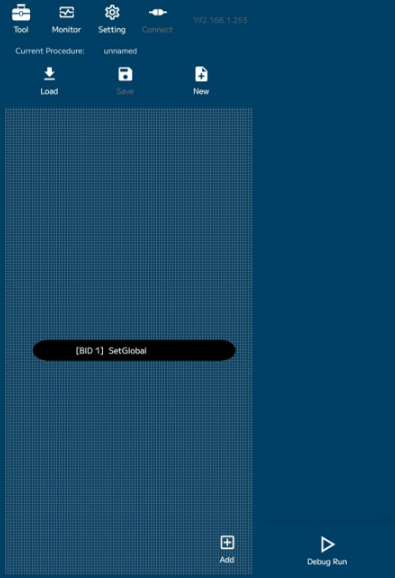
The Machine Vision Editor web service acts as the primary interface for configuration and debugging. The web service can be accessed at the following address:
Note: Please ensure client device IP address is on the correct subnet.
- Web-Based Interface: The editor runs in a web browser and can be accessed from a PC or directly from the robot's tablet-style pendant.
- Setup and Calibration: It provides tools for camera setup, camera calibration (intrinsic parameters), and hand-eye calibration (extrinsic parameters).
- Monitoring Window: A dedicated window allows users to view real-time image processing results, including a "Runtime View" for automatic updates and a "DataStream View" for textual result information.
- Global Area Management: Users can explicitly make internal MV procedure data (like location information or recognition results) public to other procedures or external applications through a "Global Area".
¶ Connectivity and APIs
The service is designed to be highly integrated with the broader robot system:
- Robot Job Execution: Created MV procedures can be called and executed directly from a job running on the robot controller.
- RC Variable Access: Dedicated function blocks allow the MV procedure to directly access and interact with robot controller (RC) variables.
- File Operations: The service includes functions to upload/download and manage various file types, including CAD files (.step, .stl), matching models, and error logs.
- gRPC API: The service provides a gRPC (Google Remote Procedure Call) API, allowing customer-created user applications to call MV procedures, retrieve procedure lists, or acquire monitored images.
¶ gRPC Connection Info
Connecting to the gRPC service can be performed by using the hostname or IP address followed by the port number.
| Hostname | Port |
|---|---|
| MachineVisionService | 50100 |
¶ gRPC C++ Example
The following example demonstrates how to connect to the gRPC channel and read the list of MV Procedures.
#include <grpc/grpc.h>
#include <google/protobuf/empty.pb.h>
#include <grpcpp/channel.h>
#include <grpcpp/client_context.h>
#include <grpcpp/create_channel.h>
#include "mvs/v2/mvs_control.grpc.pb.h"
#include <unistd.h>
#include <iostream>

using mvs::v2;

int main(void) {
    // Initialize the gRPC client
    auto channel = grpc::CreateChannel("MachineVisionService:50100" , grpc::InsecureChannelCredentials());
    auto stub = MVSControl::NewStub(channel)

    // Request procedure list
    grpc::ClientContext context;
    google::protobuf::Empty request;
    GetProcedureListResult response;
    grpc::Status status = stub->GetProcedureList(&context, request, &response);

    // Handle error status
    if (!status.ok()) {
        std::cerr << "Error calling GetProcedureList: " << status.error_message() << std::endl;
        return 1;
    }

    // Print procedures
    std::cout << "MV Procedure List:" << std::endl;
    int i = 0;
    for (const std::string& name : response.procedure_names()) {
        std::cout << "[" << i++ << "] : " << name << std::endl;
    }
    return 0;
}